Essayists
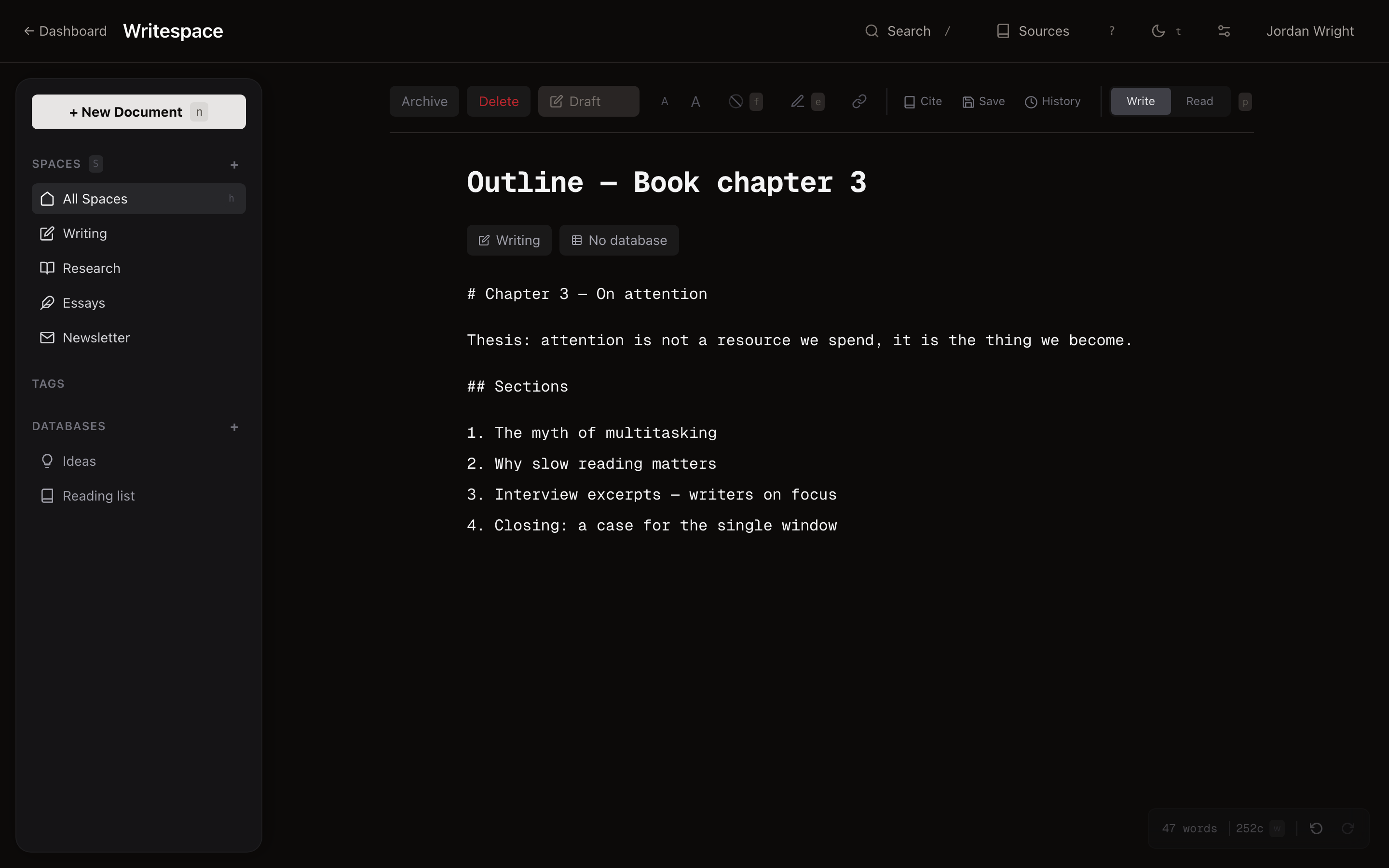
Draft the hard paragraph. Come back tomorrow. The cursor is exactly where you left it. Every revision is kept in history, so "I had a better version yesterday" is a button, not a lament.
Writespace is a fast, quiet workspace for drafts, essays, outlines, and research. It opens instantly, holds your focus, and disappears the moment you start typing. No tabs. No notifications. No bloat.
Loved by writers who used to live in
If you're reading this, you already know
Seven seconds is long enough for the sentence you had to leave the room. Every time.
You wanted a place to draft. You got databases-of-databases, relations, rollups, and a notification for every emoji reaction.
Typing lag. Re-sync spinners. A 'saving…' indicator that sometimes takes five seconds. The sentence was there, and then it wasn't.
It was built for project managers who occasionally wrote. So now every essay you draft lives inside a Kanban board you didn't ask for.
Meet Writespace
Writespace is built around a single idea: the more you use it, the quieter it should get. No notification dots. No "getting started" popovers. No AI tray trying to help. Sidebar folds away with one keystroke. Just the page, the cursor, and the next sentence.
Zen mode
Zen mode is the center of Writespace. Hit z (or ⌘ .) and every piece of UI slides away — sidebar, toolbar, status bar. You're left with the title, your prose, and a soft hint to press esc when you're done.
The editor
You type. Writespace stays out of the way. No popovers, no autocomplete suggestions, no "try asking AI to finish that paragraph" — the cursor is yours, and the sentence is yours. When you want Markdown, use Markdown. When you want formatting, use the keyboard. When you want to think, close your eyes.
Plan mode
Writespace ships with a real outline tool. Parts, chapters, sections, scenes, claims, issues, beats. Plan in bulk, link documents, move things around, create word count targets, and track your piece as it comes together in real time.
A line in the outline is the chapter
Every outline node can link to a real document. Click "Chapter 3" in your plan and you're writing it — title, content, version history, citations, all of it. The plan is a map of the work, not a copy of it. Move things around in the outline; the drafts move with them.
Bring your own AI
Many writers don't want AI anywhere near their work. That's fine. Writespace will never autocomplete a paragraph you didn't ask for, and it will never train a model on what you wrote.
For those of you who do work with AI — we built Writespace with agents in mind from day one. Mint an API token, hand it to your agent, and it'll feel right at home: reading, drafting, filing, tagging, cross-referencing. You stay in charge of what ends up on the page.
Mint a token in Account → API. Revoke it in one click. Your agents act on your behalf — no separate service accounts to babysit.
Every document, database, and tag is addressable over a small, typed HTTP API. Bring Claude, ChatGPT, Gemini, or your own in-house model — we don't care which agent you use.
Agents can ask "what's stale in Essays?" and get a ranked list of drafts, not a wall of JSON. The same staleness signals the dashboard uses are exposed to your agents.
If you never mint a token, your Writespace stays AI-free — now and forever. Nothing else to turn off; there is nothing else on.
A dashboard for noticing
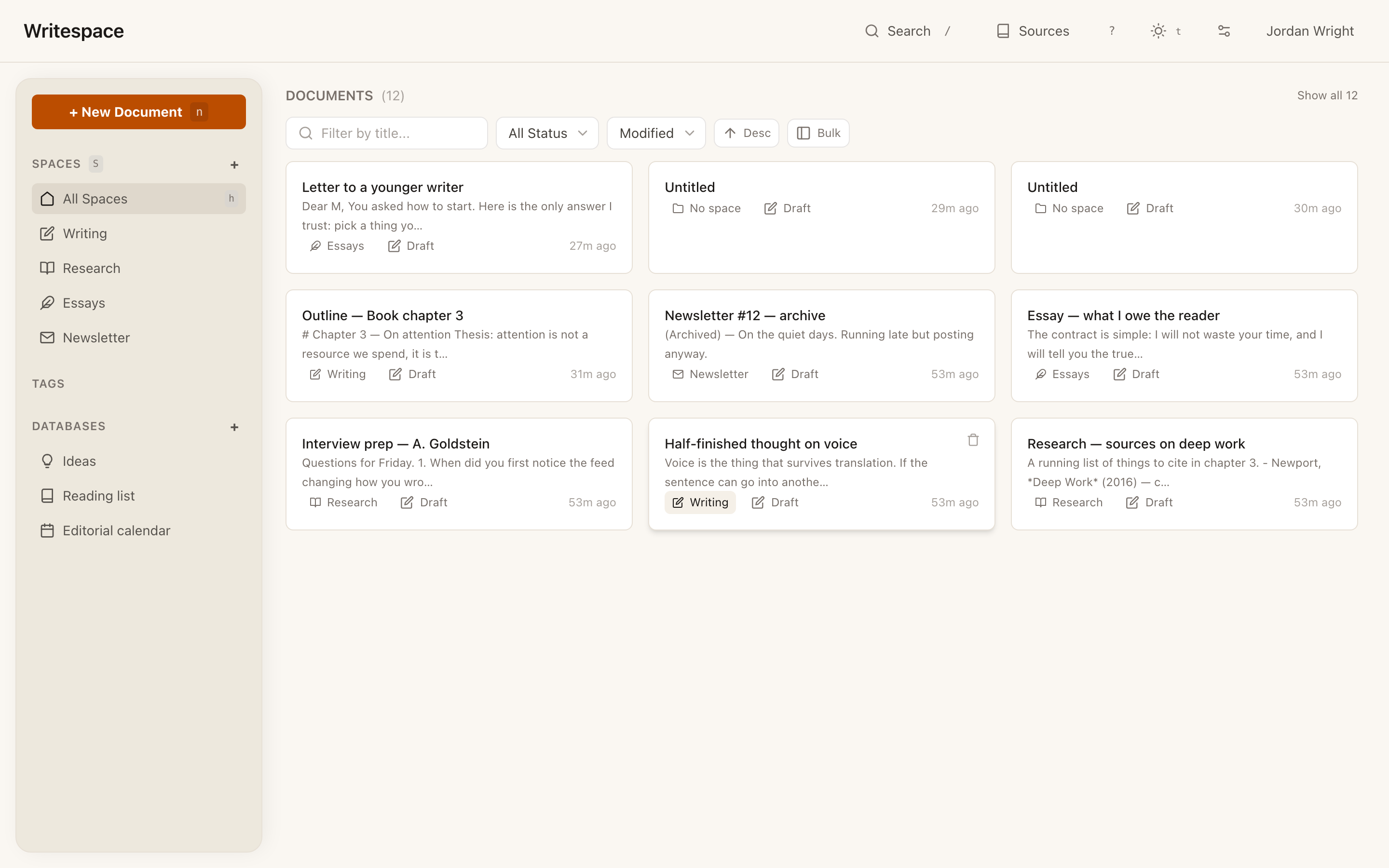
Writespace doesn't just list files. It notices the drafts you haven't touched in a while and surfaces them gently, so the half-finished essay you love doesn't disappear into the backlog. Nothing to assign, nothing to review — just the pieces you started, arranged the way you want to see them.
Databases, bounded on purpose
Here's the same editorial calendar — 12 drafts, 7 fields — one click away from a Table, a Board, a List, and a Calendar. Nothing to sync. No relations, rollups, or formulas to maintain.
Rows that open into drafts
Every record can link to a document. Click a row in the editorial calendar and you're in the actual draft — title, outline, cursor, history. No second source of truth, no pasted-in summaries, no "please keep the Notion page in sync." The row and the writing are the same thing.
Version history & export
.docx.Every document quietly snapshots its own history — every meaningful save, every title change, every restructure. Open History, pick a moment, restore. No "I had a better version of this paragraph yesterday" ever again.
When the draft's ready to leave Writespace, you don't need to
negotiate with the tool. Two export buttons sit quietly at the top
of the editor. Click either one to copy — clean Markdown
or rich text, ready to paste straight into Word, Google Docs, Substack,
or email. Hold either one to download the file to disk —
.md or .docx, formatting and footnotes intact.
.docx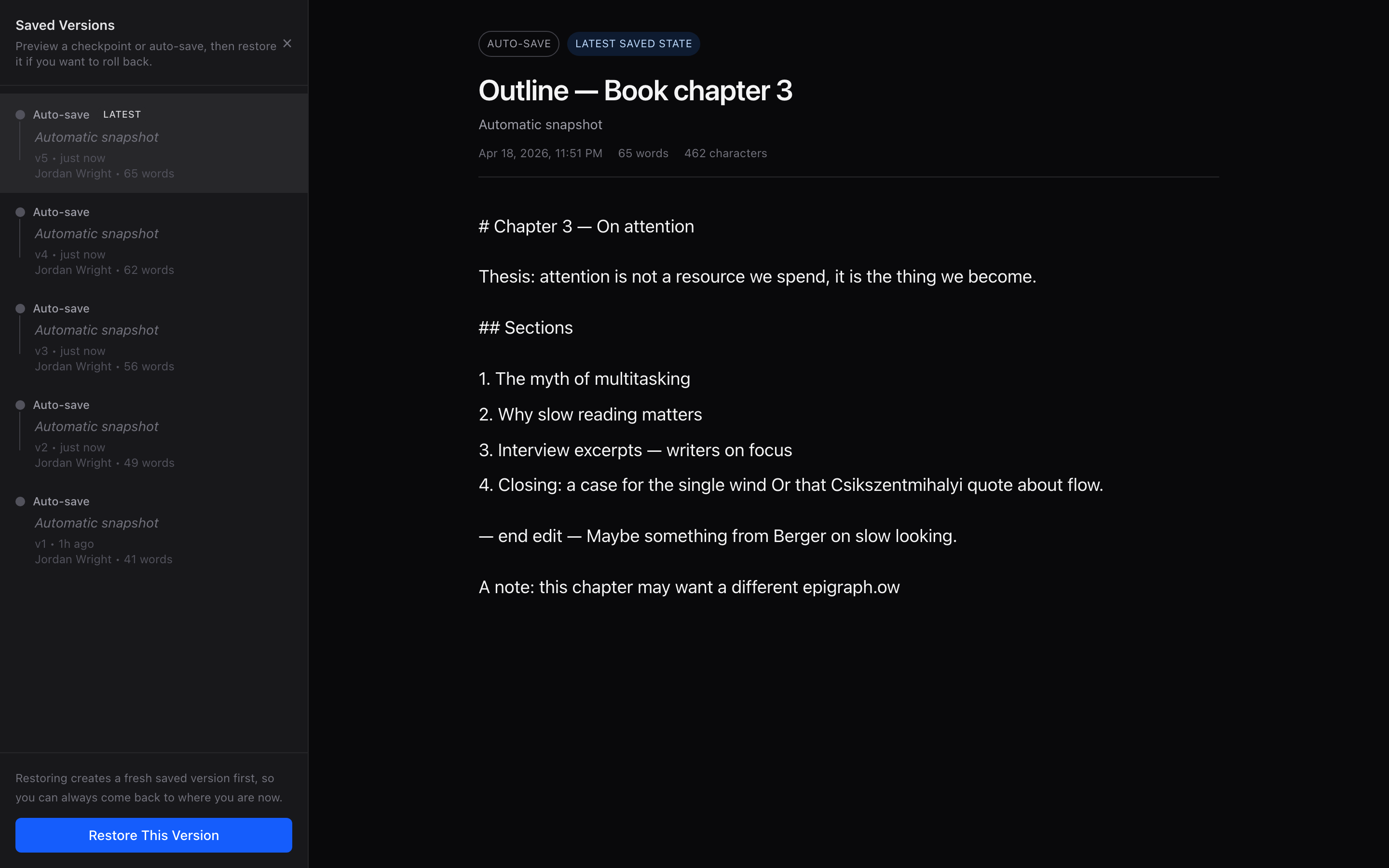
Sources & citations
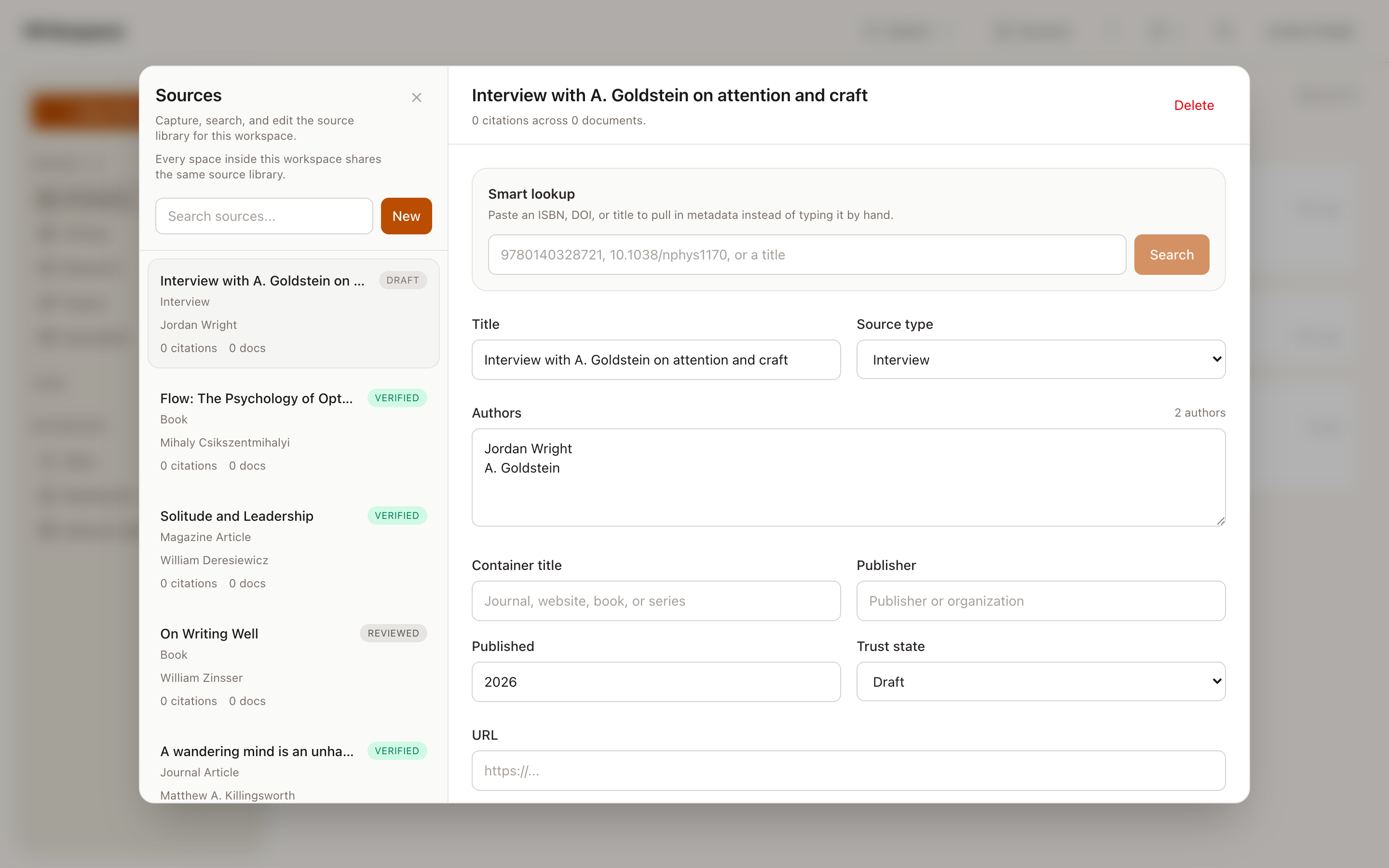
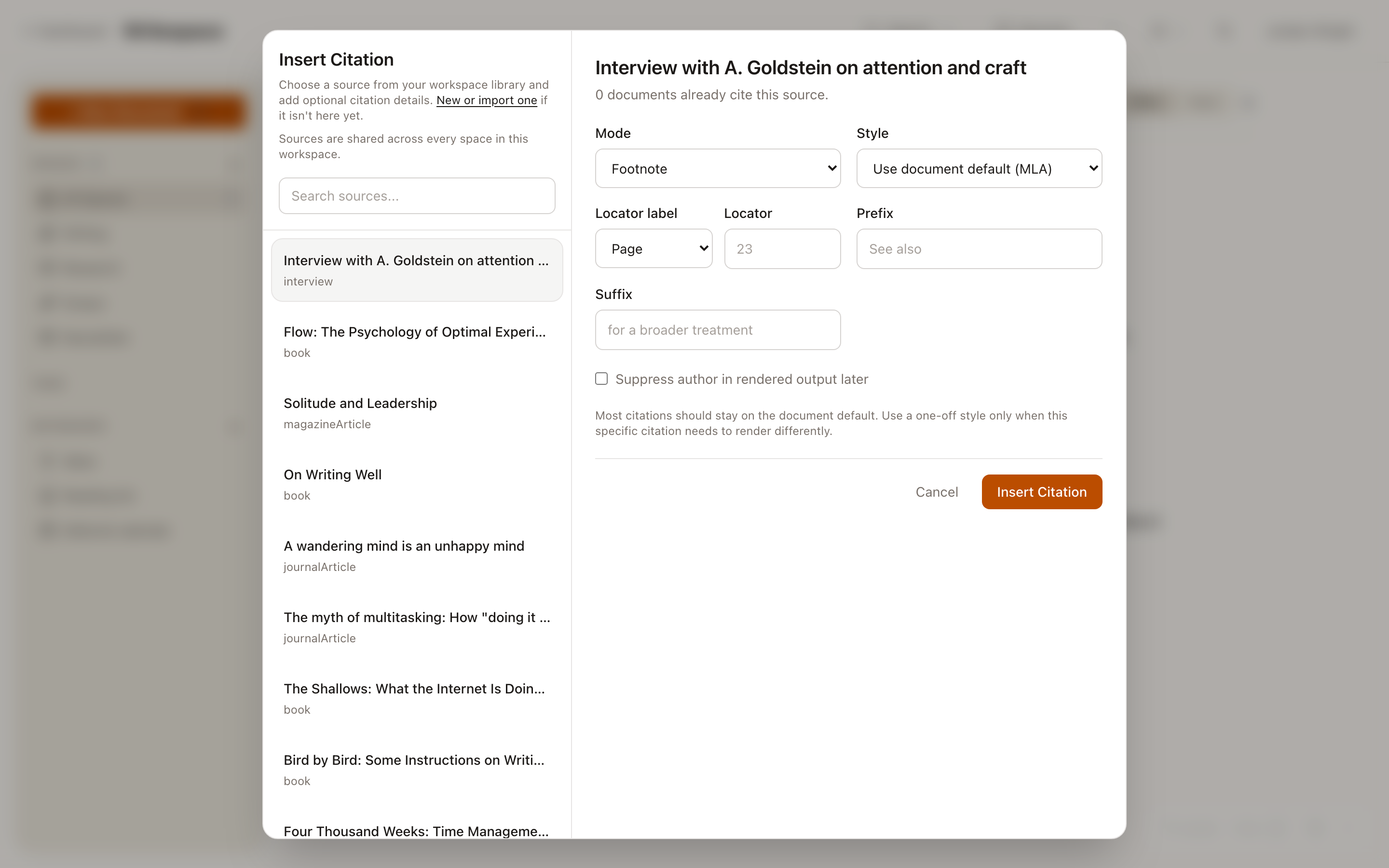
If you write with footnotes, you know the moment: you've got the sentence, and now you have to stop writing, open a second tool, wrangle a bibliography format, come back, and try to find the thought you had. Writespace keeps a full-fidelity source library inside your workspace — books, journal articles, interviews, podcasts, video, even legal cases — so the citation is one keystroke away from the sentence that needs it.
Paste an ISBN, DOI, or title and Smart Lookup pulls the metadata back for you. Mark each source draft, reviewed, or verified so you always know what's load-bearing and what's still a note to self. Then pick MLA, APA, or Chicago per document — footnotes and bibliography render automatically, in the right style, at the right place.
Muscle memory in one afternoon
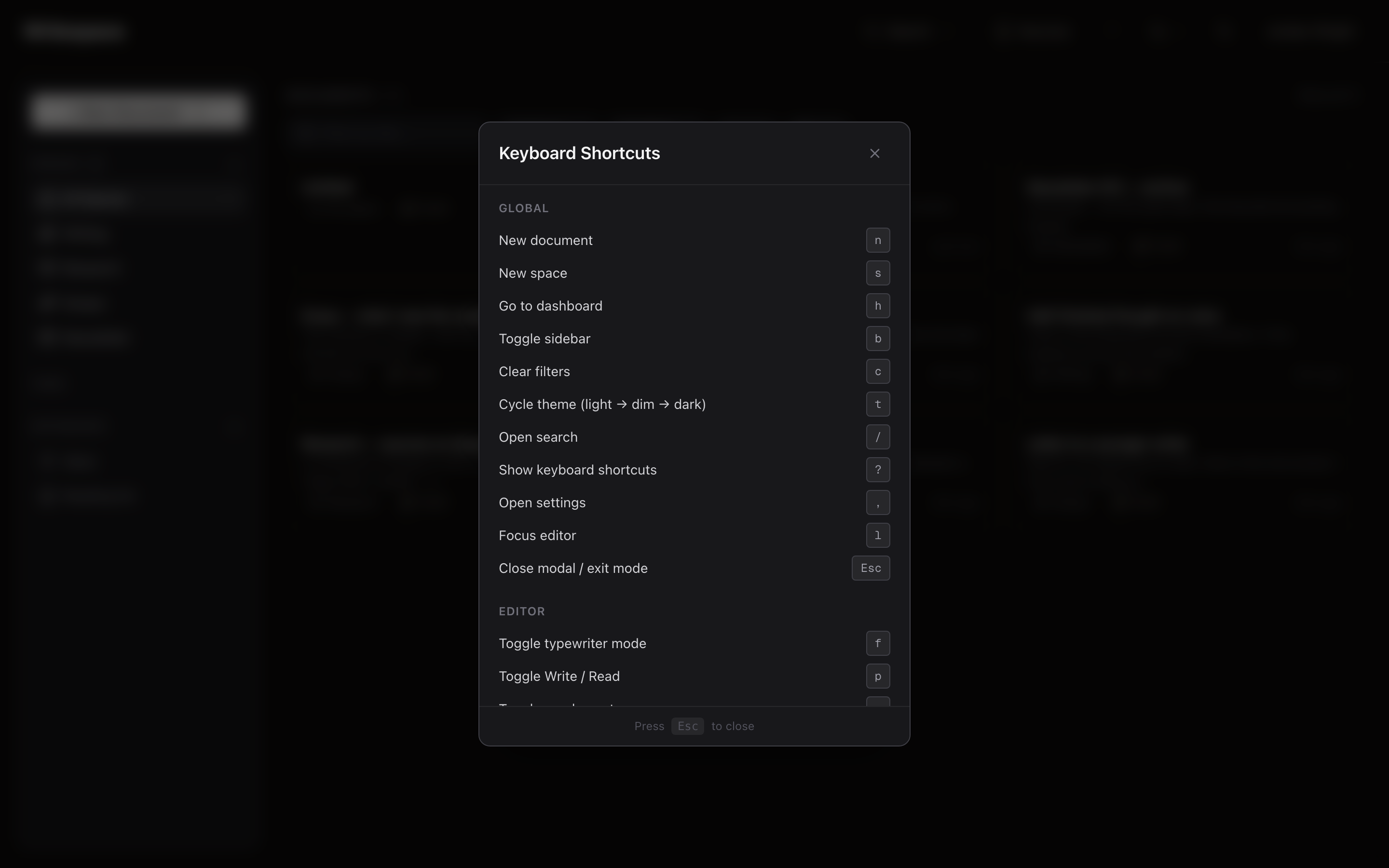
A dozen shortcuts run the whole product — from opening a draft to flipping the theme. Press ? anywhere to see the full map.
New document
Search everything
Zen mode
Typewriter mode
Cycle theme
Home (dashboard)
Toggle sidebar
All shortcuts
f turns on typewriter mode — the active line stays locked to the vertical center of the screen, so you're always looking at the sentence you're writing, never chasing the cursor down the page.
Built for the people who actually write
Draft the hard paragraph. Come back tomorrow. The cursor is exactly where you left it. Every revision is kept in history, so "I had a better version yesterday" is a button, not a lament.
Outline in one space. Research in another. Write, preview, repeat. When chapter 3 changes three times this month, yesterday's version is one click away.
Draft the next six issues in one sitting. When it's time to ship, hold the export button and paste clean rich text straight into your mail tool — no re-formatting, no "copy as HTML" dance.
Footnotes, CSL citations, and a sources panel that isn't Zotero. Cite-as-you-write, export to .docx, keep the bibliography inline.
From the beta
"I moved eight years of notes out of Notion in a weekend. Writespace opens before my coffee finishes brewing. That is not a joke; that is a structural advantage."
"Zen mode is the first feature I have ever reached for on instinct. Tap z and the computer finally shuts up."
"We run our book club research in Writespace databases. Four views, zero formulas, no one has asked a question about the tool in three months."
"I used to write in Obsidian because it was local. Now I write in Writespace because it respects me. Those are not the same thing."
Simple, bounded plans
Every plan stays AI-free unless you bring your own. Integrations and agent access only unlock when you mint a token yourself.
Founder pricing — first 200 seats only
Current tier: $39 — 10 of 10 seats left.
Claim a founder seat →$0/forever
No credit card. No expiration.
The full writing experience. For the person holding the pen.
$8/month
or $79/year — save $17
Write better, with the tools that turn drafts into finished work.
Your current tool
Writespace
FAQ
Not yet. Writespace is cloud-synced today, so a network connection is required. A local-first mode is on the roadmap — it's a big swing and we'd rather ship it honestly than claim it early.
Databases, yes — you can import CSV, TSV, Notion-exported CSV, and Markdown files straight into a Writespace database with per-column mapping. For individual documents, paste in Markdown and the editor handles the rest. Wholesale "point it at a Notion workspace and get everything back" migration isn't in today; it's on the list.
Because every database feature beyond those four views is a feature you will spend Saturday maintaining instead of writing. We chose the writer's side of that trade.
No. Writespace never autocompletes a paragraph, rewrites your prose, or trains on anything you write. If you want AI help, you bring your own — mint an API token and hand it to the agent you already use. That keeps the product neutral and keeps control where it belongs: with you.
No. We're not an AI company and we're not trying to become one. Your drafts won't be used to train anyone's model — not ours, not a vendor's, not as part of some "we're improving the service" fine print. If you want agents involved in your work, you bring them (see Bring your own AI). Otherwise Writespace never sees your prose as anything but yours.
Yes — a macOS app and iPad app are in active beta. The web app works on Windows, Linux, and any modern browser.
Free forever for a single writer. No credit card. No onboarding tour. Thirty seconds to your first draft.
Start writing free →Already have an account? Sign in